We use cookies to make your experience better.
To comply with the new e-Privacy directive, you agree to the privacy policy and our use of cookies.

Search results for: 'lecte'
Shop By
- Related search terms
- lectern
-

-
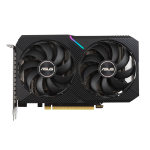
ASUS Dual -RTX3050-O8G graphics card NVIDIA GeForce RTX 3050 8 GB GDDR6
NVIDIA GeForce RTX 3050 8GB GDDR6, OpenGL 4.6, PCI Express 4.0, CUDA, 128-bit, 550W, 1 x 8-pinStock: Available on backorderSKU: DUAL-RTX3050-O8G -

Lenovo 01HV899 warranty/support extension
3YR Tech Install Parts 24x7x4 responseStock: Available on backorderSKU: 01HV899 -
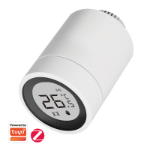
LogiLink Zigbee Smart Thermostat Radiator Valve, w/ LCD Display,Tuya compatible
Stock: 1104SKU: SH0135 -
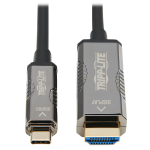
Tripp Lite U444F3-20M-H4K6 High-Speed USB-C to HDMI Fiber Active Optical Cable (AOC) - UHD 4K 60 Hz, HDR, CL3 Rated, Black, 20 m (65 ft.)
High-Speed USB-C to HDMI Fiber Active Optical Cable (AOC) - UHD 4K 60 Hz, HDR, CL3 Rated, Black, 20 m (65 ft.)Stock: Available on backorderSKU: U444F3-20M-H4K6 -

Acer 60.G7AN1.002 laptop spare part Display cover
Cover Led Lcd 13 3 White W/ Acer LogoStock: Available on backorderSKU: 60.G7AN1.002 -
-
-
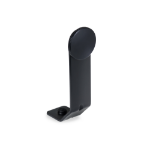
Praktica Universal Binocular Tripod Mount Adapter
The PRAKTICA Universal Binocular Tripod Mount Adapter allows you to attach your binoculars to a tripod in seconds, perfect for extended viewing sessions and enhanced stability.
Using a tripod will eliminate hand-shake and will therefore create a clearer, more detailed image. This is highly recommended when using binoculars with large objective lenses or high magnification.
Simply unscrew the tripod thread on your binoculars and screw in the adapter using the wheel for tightening. Then attach the base of the adapter to your tripod screw thread. The binoculars can then be left free-standing, lifting the weight of your binoculars off your arm.Stock: 45SKU: 183ARP
